
LINKED ACCOUNT PORTFOLIOS
HOW DOES THE PORTFOLIO OPTION WORK?
Users of the Link-2-Success Club have been able to link to successful accounts for over 3 years now. Now they can also link to successful provided portfolios or portfolios created by fellow club members.
( If you are not already a club member, please click here for details: Link-2-Success Club )
HOW MANY PORTFOLIOS CAN YOU USE?
Users of the Link-2-Success service can typically link to 3 accounts listed on the Link-2-Success service. We have made a change where clients can now link to a portfolio (Consisting of 3 accounts) in place of one of the three accounts. So those traders can now link one portfolio and two linked accounts.
* Owners of the additional three licenses will be able to use 2 portfolios across the six accounts they are entitled to.
* Owners of the additional seven licenses will be able to link to 3 portfolios across their 10 licenses.
* Owners of the unlimited license will be able to link to unlimited portfolios.
The overall restriction on linking to only one account still applies. So, no matter which license you have, you can link to only one account once - even if that account is included in a portfolio.
To upgrade your license, please visit the Receiver Robot Download page on the EAFactory Website .
The License options are at the BOTTOM of that page
HOW DO I LINK TO A PORTFOLIO?
When using your Receiver EA (Version 8), enter the portfolio code in the Sender: Link Service name; where you also enter the linked account code.
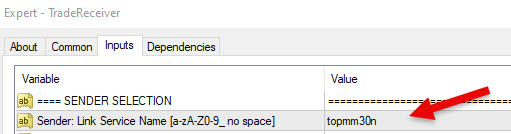
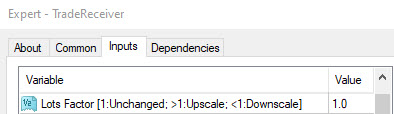
When using the suggested Account Balance use a lot factor of 1
WHICH PORTFOLIOS CAN I LINK TO?
The table below shows the portfolios you can link to. For more information, please use the FXBlue details supplied below the table. To go to the actual FXBlue web page, click on the Portfolio heading or the FXBlue charts.
Please note that the FXBlue information is not always 100% accurate, so double-check any essential reasons for linking to a portfolio. The FXBlue information may take a few seconds to load based on your internet speeds - Please be patient.
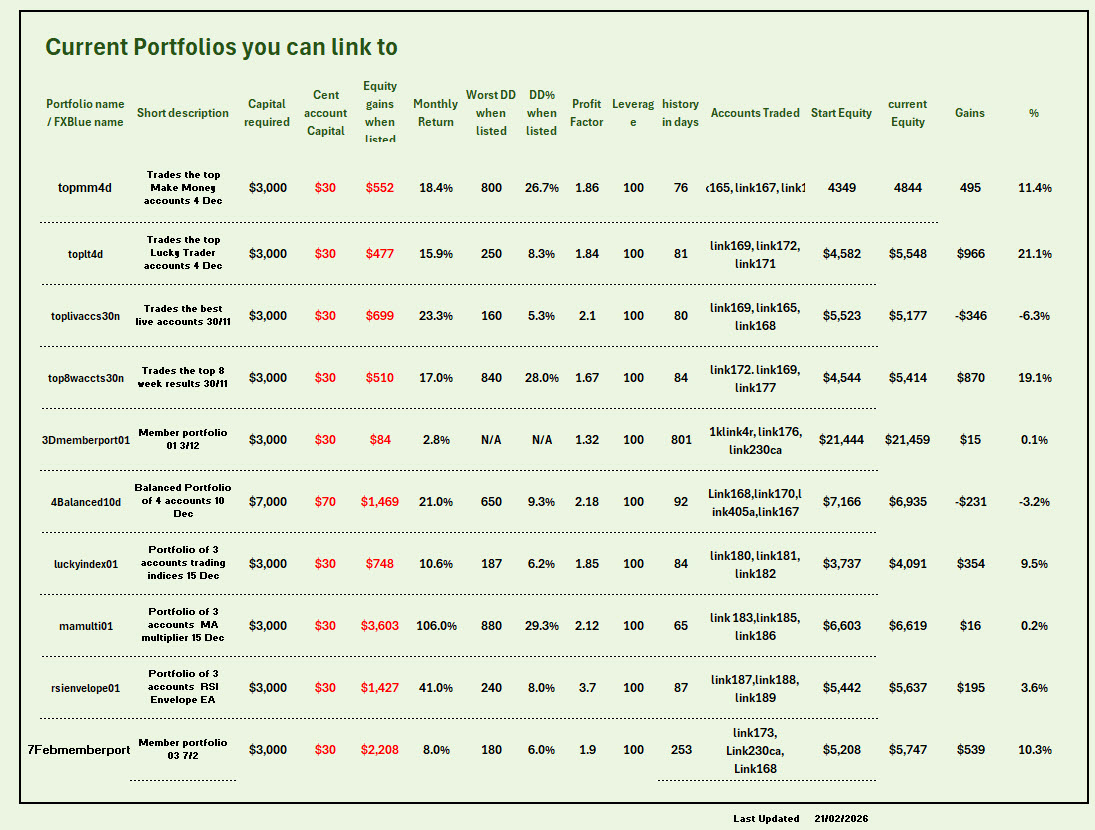
FXblue links and more details are available below
HOW CAN I SEE MORE DETAILS OF THE ACCOUNTS INCLUDED IN THE PORTFOLIOS?
Each Portfolio title above (Blue colour) is a link to the FXBlue analysis of the portfolio. The links are provided below. Once you have clicked on the link, you will see a Portfolio tab. When opening the tab, you will see the accounts making up the portfolio. Click on the account link to be taken to the detailed analysis of that account.
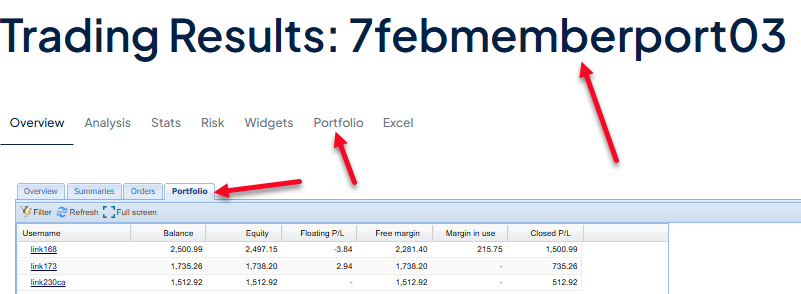
More account analysis information for most accounts can be found in the Linkable account list and the Risk Analysis schedule on the Link-2-Success webpage. Where this information is not available, it is because some portfolios are made up of accounts that can not be individually linked to.
Clickable FXBlue links to the above portfolios
CAN I CREATE MY OWN PORTFOLIO OF 3 ACCOUNTS?